
Epson Stylus Photo 1400 Driver
 |
| Epson Stylus Photo 1400 Printer |
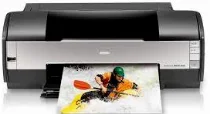
Epson Stylus Photo 1400 printer model uses the MicroPiezo inkjet print technology with a unique nozzle configuration. The latter comprises six individual ink cartridges, including black, cyan, magenta, yellow, light cyan, and light magenta colors. Epson Stylus Photo 1400 also has an internal print driver valid for bidirectional printing with logic seeking within the system. This machine is compatible with many standard paper sizes, including A3, A4, US letter, A6, legal, half letter, and photo paper sizes.
Epson Stylus Photo 1400 Printer Driver Downloads
Driver for Windows
| Supported OS: Windows 11 64-bit, Windows 10 32-bit, Windows 10 64-bit, Windows 8.1 32-bit, Windows 8.1 64-bit, Windows 8 32-bit, Windows 8 64-bit, Windows 7 32-bit, Windows 7 64-bit, Windows Vista 32-bit, Windows Vista 64-bit, Windows XP 32-bit, Windows XP 64-bit | |||
| Filename | Size | Download | |
| Drivers and Utilities Combo Package for Windows 10 8.1 8 32 bit.exe (Recommended) | 33.97 MB | ||
| Drivers and Utilities Combo Package for Windows 11 10 8.1 8 64 bit.exe (Recommended) | 34.59 MB | ||
| Drivers and Utilities Combo Package for Windows 7 vista xp 32 bit.exe (Recommended) | 33.74 MB | ||
| Drivers and Utilities Combo Package for Windows 7 vista xp 64 bit.exe (Recommended) | 34.41 MB | ||
| Printer Driver for Windows 10 8.1 8 32 bit.exe | 9.11 MB | ||
| Printer Driver for Windows 10 8.1 8 64 bit.exe | 9.74 MB | ||
| Printer Driver for Windows 7 vista xp 32 bit.exe | 8.79 MB | ||
| Printer Driver for Windows 7 vista xp 64 bit.exe | 9.46 MB | ||
This package contains the following items:
- Printer Driver
- Epson Status Monitor
- EasyPrint
- Epson Print CD
Driver for Mac OS
| Supported OS: Mac OS Monterey 12.x, macOS Big Sur 11.x, Mac OS Catalina 10.15.x, macOS Mojave 10.14.x, Mac OS X Snow Leopard 10.6.x, Mac OS X Leopard 10.5.x | |||
| Filename | Size | Download | |
| Printer Driver for mac OS X 10.14 to 12.dmg | 79.14 MB | ||
| Printer Driver for mac OS X 10.5 and 10.6.dmg | 23.39 MB | ||
| Drivers and Utilities Combo Package for mac OS X 10.5 and 10.6.dmg | 62.34 MB | ||
| Printer Driver Update for mac OS X 10.5.dmg | 2.38 MB | ||
Specifications
The compatible paper types include plain bond paper or special paper distributed by the Epson Company. Its paper thickness support is within 0.003 to 0.004 inches, which is equivalent to 0.08 to 0.11 mm. the weight range for the paper should also be between 17 and 24 lbs, equal to 64 to 90 gsm. Its suitable paper paths are the sheet feeder and the top entry feed. The sheet feeder can hold up to 120 sheets of plain paper.
Related Printer : Epson Stylus Photo R1800 Driver
The machine’s physical dimensions include a width of 24.2 inches, a depth of 12.4 inches, and a height of 8.8 inches. However, these dimensions refer to having the machine in storage and not during active printing. The functional printing dimensions include a width of 24.2 inches, a depth of 31.6 inches, and a height of 16.3 inches. Meanwhile, the net weight of this machine is about 25.3 lbs, which is equivalent to 11.5 Kg without the ink cartridges.
The input voltage range is between 198 and 264 Volts with a rated current of 0.25 A. The printing process uses 16 watts for power consumption, the sleep mode requires 1.5 watts, and the power-off method uses 0.4 watts. The operating temperature range is between 10 and 350C, while storage is between -20 and 400C. Besides, the humidity of the environment when the machine is in use is between 20 and 80% with no condensation. Download Epson Stylus Photo 1400 driver from Epson Website
